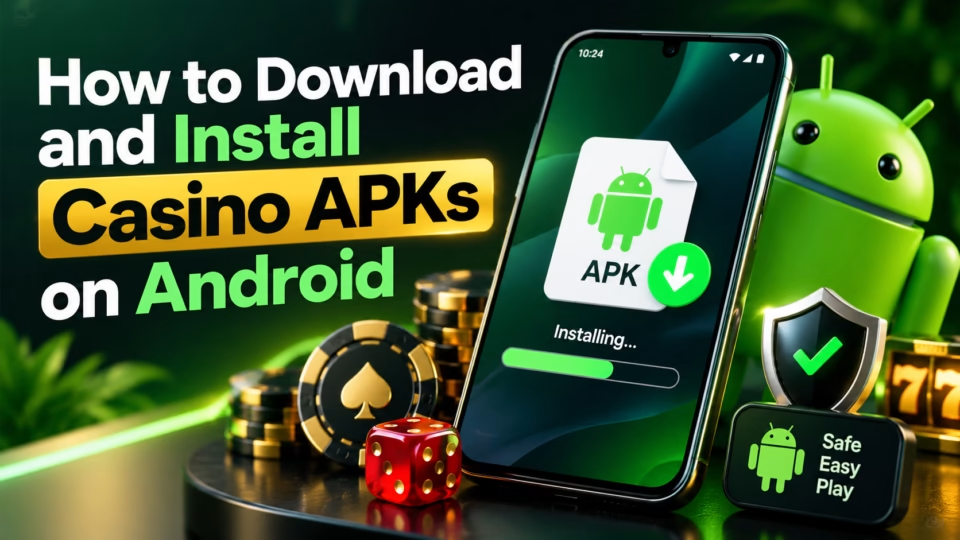
Installing a casino APK on Android usually takes only a few minutes: download the APK from the casino’s official website, allow your browser or file manager to install apps from that source, open the downloaded file, review the permissions, and confirm the installation. The important part is not the installation itself, but making sure the APK comes from the legitimate casino operator rather than a copied or modified download page.
Quick answers:
- A casino APK is an Android installation file used when an app is distributed outside Google Play.
- Modern Android versions normally grant installation permission to a specific app, such as Chrome, rather than enabling one universal “Unknown Sources” switch.
- Download casino APK files only from the operator’s verified website or another distribution channel explicitly identified by the operator.
- Keep Google Play Protect enabled because it can scan apps installed outside Google Play and warn about potentially harmful software.
- If Android blocks an APK or displays a serious security warning, do not bypass it automatically. Confirm the developer and download source first.
A casino APK may be useful for Android users when the operator offers a downloadable app but does not distribute it through Google Play in their country. Availability can depend on the casino, Android version, device manufacturer, local gambling rules and the operator’s licensing restrictions.
What Is a Casino APK?
A casino APK is an Android Package Kit file containing the files Android needs to install a casino application. Opening a legitimate APK starts Android’s package installer, which checks the application before allowing the user to install it.
An APK is different from downloading an app through Google Play. Google Play manages the download, installation and most updates automatically, while a manually downloaded casino APK is normally obtained directly from a website and installed through a process known as sideloading.
Sideloading itself is a standard Android capability, but it carries additional security responsibility. Applications obtained from unknown sources can put personal information or device data at risk, which makes the origin of a casino APK particularly important.
How to Download a Casino APK on Android Safely
The safest casino APK download process starts on the casino operator’s genuine website. Avoid searching for an APK file by filename and downloading the first copy hosted by an unrelated APK repository, forum, cloud-storage link or advertisement.
Before downloading, check:
1. The website domain. Confirm that you are on the operator’s genuine domain rather than a similar-looking address.
2. The casino operator. The company name, licensing information, terms, privacy policy and support details should be clearly available.
3. Android download instructions. Legitimate operators that distribute APKs directly usually explain how their Android application should be installed.
4. HTTPS. The download page should use an encrypted HTTPS connection.
5. APK version information. If the casino publishes a version number, compare it with the file you are downloading.
6. File integrity information. If the operator provides a checksum or digital verification information, compare it before installation.
7. Local availability. A casino app being technically downloadable does not automatically mean real-money gambling is permitted where you live.
Do not install an APK simply because its filename contains the casino’s brand. Android installation files can be copied, repackaged or modified, so the source matters more than the filename.
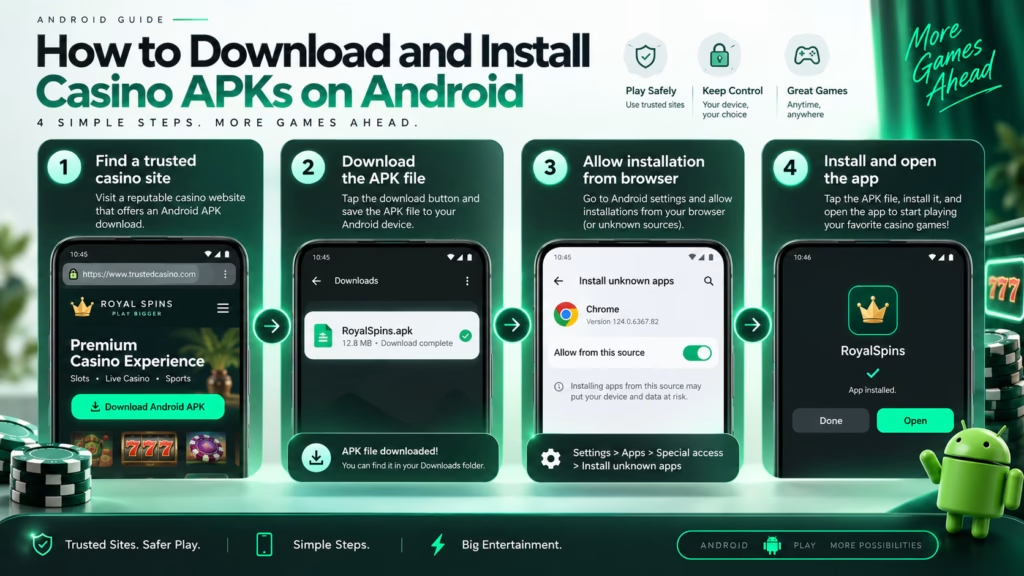
How to Install a Casino APK on Android Step by Step
1. Download the APK From the Casino Website
Open the casino’s official website on your Android phone and find its Android app or mobile app page.
Tap the casino APK download button and wait until the file finishes downloading. Android or your browser may display a warning because APK files can install software. A warning that a file type can potentially harm a device does not automatically mean the specific APK is malicious, but it is a reason to verify the source before continuing.
2. Open the Downloaded Casino APK
Open the completed download from your browser notification or locate the APK through Android’s Files or Downloads application.
When you tap the file, Android may tell you that the application you used to open the APK is not currently allowed to install unknown apps.
This restriction is normal.
3. Allow Installation From That Source
Modern Android versions generally manage sideloading permissions on a per-source basis. For example, if the APK was downloaded through Chrome, Android may ask you to allow Chrome to install applications.
The exact menu names differ between Samsung, Google Pixel, Xiaomi, OnePlus and other Android devices, but the option is commonly called something similar to “Install unknown apps” or “Allow from this source.”
Enable permission only for the application you are using to open the legitimate casino APK.
There is usually no reason to give several browsers, messaging apps and file managers permission to install unknown applications.
4. Return to the APK and Tap Install
After granting permission, return to the casino APK and select Install.
Android will process the package and either complete the installation or display a warning or compatibility error.
Do not automatically override security warnings. Check whether the APK is still available from the casino’s official website and whether your Android version is supported.
5. Open the Casino App
After installation, tap Open or find the casino icon in your Android app drawer.
Before logging in or depositing money, confirm that:
- the application opens normally;
- the casino branding matches the official website;
- the login domain or connected web pages belong to the casino;
- the application does not request obviously unnecessary permissions;
- the account information shown in the application matches your existing account.
You can then log in or create an account if the casino accepts players from your jurisdiction and you meet the applicable minimum gambling age.
Should You Disable Google Play Protect?
You normally should not disable Google Play Protect just to install a casino APK. Google recommends keeping Play Protect enabled, and the service can scan applications installed from outside Google Play for potentially harmful behavior.
A legitimate operator may explain that its APK is distributed outside Google Play, but that does not mean Android security protections should automatically be switched off.
Treat requests to permanently disable Play Protect as a warning sign, especially when the APK comes from an advertisement, Telegram message, email attachment or unofficial download site.
Casino APK Permissions to Check
A casino app can legitimately need internet access, notifications, authentication features or access required for regulatory verification. However, permissions should make sense in relation to the app’s functions.
Pay extra attention if a casino APK unexpectedly asks for broad access to:
- SMS messages;
- contacts;
- call logs;
- accessibility services;
- device administrator privileges;
- unrelated files;
- microphone or camera access without an identifiable verification feature.
Some legitimate identity-verification processes may require camera access to photograph an ID or complete a verification check. The important distinction is whether the permission has a clear purpose and comes from a casino you have independently verified.
Casino APK vs Google Play Casino App
A casino APK and a Google Play casino app can provide similar functionality, but their installation and update processes are different.
| Feature | Casino APK | Google Play App |
| Installation | Manual sideloading | Installed through Google Play |
| Source verification | User must verify download source | Store distribution provides an additional layer of control |
| Updates | May require manual download or in-app updater | Usually handled through Google Play |
| Availability | May be available where store version is absent | Depends on Play Store availability |
| Security checking | Android and Play Protect can still scan the app | Google Play ecosystem protections also apply |
| Installation permission | May require “Install unknown apps” | Usually not required |
An APK is therefore not automatically inferior or malicious, but downloading software outside an official app store removes some of the safeguards users normally rely on.
Why a Casino APK Will Not Install
Android Blocks Installation
The browser or file manager may not have permission to install unknown apps. Grant permission only to the application you are intentionally using for the APK installation.
The APK Is Incompatible
A casino app may require a newer Android version or specific hardware architecture. Check the operator’s Android requirements rather than repeatedly downloading different APK files from unofficial sources.
The Download Is Corrupted
An interrupted or incomplete download can produce an invalid package. Delete the file and download a fresh copy from the verified casino website.
An Existing Version Conflicts With the APK
Android may reject an update if the installed application and new APK were signed differently. This can happen when users previously installed a modified or unofficial version.
Do not solve this by downloading random alternative APKs. Check the casino’s official update instructions first.
Android Displays a Security Warning
Google Play Protect may warn about or block software it considers potentially harmful. Play Protect checks applications when they are installed and can also scan installed applications afterward.
A security warning should therefore be investigated rather than treated as an installation obstacle to bypass.
Android Developer Verification Changes
Android’s rules for installing apps outside Google Play are evolving. Google has introduced Android developer verification, which connects application installation with verified developer identities on certified Android devices.
Starting in September 2026, apps distributed through participating stores on certified Android devices in Brazil, Indonesia, Singapore and Thailand are subject to new developer-registration requirements. Google also provides an advanced process for users who intentionally choose to install software from an unverified developer.
Because these requirements are being introduced progressively, casino APK installation behavior may differ by country, device, Android version and distribution method. Follow the current instructions displayed by Android rather than relying on an old tutorial showing a universal “Unknown Sources” switch.
How to Update a Casino APK
Casino APK updates depend on the operator’s distribution system. Some apps can detect a newer version and direct users to the official download page, while others require the APK to be downloaded manually.
For manual updates:
1. Open the casino’s verified website.
2. Check whether a newer Android version is available.
3. Download the new APK.
4. Open the downloaded file.
5. Confirm the update.
Do not search third-party APK sites simply because an update appears there before it appears on the casino’s website.
Keeping the casino application updated is important because updates can contain security fixes, compatibility changes and changes required by the operator.
Common Casino APK Mistakes
The most serious mistake is treating every APK carrying a recognizable casino logo as genuine. Branding can be copied easily, while an altered application can potentially capture login credentials or financial information.
Other mistakes include:
- downloading APKs from advertisements or unsolicited messages;
- disabling Play Protect without understanding the warning;
- giving installation permission to multiple unnecessary apps;
- installing “modded” casino APKs promising better odds or guaranteed bonuses;
- ignoring unexpected permission requests;
- using an APK to bypass geographic or legal restrictions;
- continuing to use an outdated APK after the operator has released a required update.
A modified casino APK claiming to change game outcomes should be treated with particular suspicion. Legitimate casino game results are controlled by the game’s underlying systems, and installing a modified Android client does not create a legitimate way to guarantee wins.
How to Choose a Casino Before Installing Its APK
The APK should not be the main reason to choose an online casino. Evaluate the operator first and the Android application second.
Before registering or depositing, check the casino’s:
- operator identity;
- regulatory or licensing information relevant to your jurisdiction;
- supported countries;
- deposit and withdrawal methods;
- withdrawal conditions and limits;
- identity-verification requirements;
- bonus wagering requirements;
- privacy policy;
- responsible gambling tools;
- customer-support channels.
If the casino offers bonuses through its Android app, read the actual bonus terms before accepting them. Bonus size alone does not show whether an offer is useful because wagering requirements, maximum bets, eligible games, withdrawal restrictions and expiry rules can differ between operators.
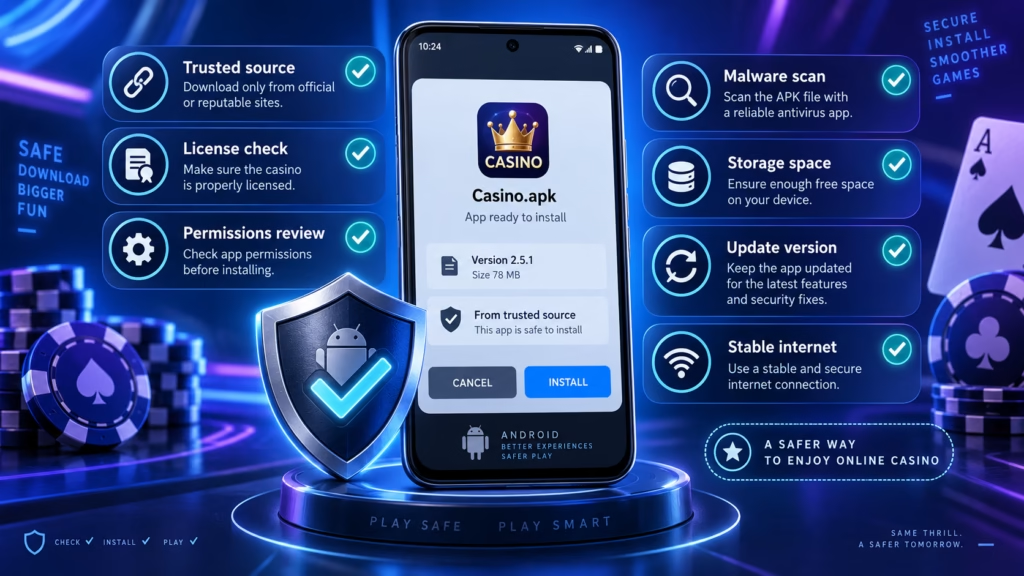
Security Checklist Before Opening a Casino APK
Before entering an email address, password, identity document or payment information into a casino APK, confirm four things.
First, verify the operator. The APK should originate from the casino’s genuine website.
Second, verify the application behavior. Unexpected redirects, intrusive permission requests or demands to disable security protections deserve investigation.
Third, protect the account. Use a unique password and enable two-factor authentication when the operator supports it.
Fourth, keep Android protections active. Keep Play Protect enabled because it can scan apps from outside Google Play.
No APK should be considered completely risk-free simply because it installs successfully.
Responsible Gambling and Casino Apps
Installing a casino APK does not change the mathematical nature of casino games. Slots, roulette, blackjack and other casino games still involve financial risk, and random games cannot provide guaranteed profits.
Set a spending limit before playing, avoid gambling with money needed for essential expenses and use deposit, loss, session or cooling-off limits when available.
If gambling stops being entertainment or becomes difficult to control, stop playing and use the responsible gambling or self-exclusion resources available in your jurisdiction.
How This Information Was Reviewed
The installation guidance in this article focuses on Android’s sideloading model, APK source verification, application permissions, Google Play Protect and the practical differences between direct APK installation and Google Play distribution.
Android settings can vary between manufacturers and Android versions, so menu labels should be checked directly on the device. Casino availability, licensing, verification procedures, bonuses and payment conditions also depend on the operator and jurisdiction.
Casino APKs should be treated as software that may handle sensitive account and financial information. Verify the operator and download source before installing the application, and treat casino gambling as entertainment rather than a method of generating income.
FAQ
Can I install a casino APK on Android?
Yes. Android supports installing APK files outside Google Play, although the device may require you to authorize the browser or file manager that opens the APK. The exact process varies by Android version and manufacturer.
Is it safe to download a casino APK?
A casino APK can be legitimate when it comes directly from a verified casino operator, but APK installation outside an app store carries additional risk. Verify the website, keep Play Protect enabled and avoid unofficial APK mirrors or modified versions.
Why does Android say I cannot install unknown apps?
Android restricts applications from installing APK files unless you explicitly authorize that source. If you downloaded a legitimate casino APK through a browser, Android may ask you to allow that browser to install unknown apps before continuing.
Should I turn off Play Protect to install a casino APK?
Usually no. Keep Play Protect enabled because it scans applications for potentially harmful software, including apps installed from outside Google Play.
Where should I download a casino APK?
Download a casino APK from the casino operator’s genuine website or another distribution source explicitly confirmed by the operator. Avoid third-party APK websites unless you can independently establish that the casino officially uses that distribution channel.
Why is my casino APK not installing?
A casino APK may fail because installation permission is disabled, the download is corrupted, the Android version is unsupported, another version of the application conflicts with it, or Android has identified a security issue. Check the operator’s official requirements before attempting workarounds.
Do casino APKs update automatically?
Some do, but not all. A casino APK may include an update mechanism or direct users to download a newer APK manually. Check the operator’s official app page instead of obtaining updates from unrelated APK repositories.
Can I install a casino APK that is unavailable in my country?
Technical installation does not determine whether you are permitted to use a casino. Real-money gambling availability depends on the operator’s rules and the laws and regulations applicable to your location. Do not use an APK simply to bypass geographic or regulatory restrictions.
Are casino APKs better than browser casinos?
Not necessarily. APK apps may provide a more app-like interface, notifications or easier access, while browser casinos require no manual software installation. The better option depends on the operator, device and user preference rather than the APK format itself.
Can a casino APK improve my chances of winning?
No legitimate casino APK can guarantee better results simply because it is installed as an Android application. Casino game outcomes and payout mechanics depend on the games and their underlying systems. Gambling involves financial risk and should be treated as entertainment.
In short
To install a casino APK on Android, download the file from the casino’s verified website, authorize the relevant browser or file manager to install the APK, review Android’s warnings and permissions, and complete the installation. Keep Play Protect enabled, avoid modified or unofficial APK files, and verify the casino itself before entering personal or payment information. Casino apps provide convenient access to games, but they do not improve the odds of winning and should be used with clear spending limits.