A casino app geolocation error usually means the operator cannot reliably confirm that your device is physically located in a permitted jurisdiction. The problem is often caused by disabled location permissions, approximate instead of precise location, weak GPS or Wi-Fi signals, VPN or proxy software, outdated app data, or a temporary conflict between the casino app and your device’s location services.
In most cases, you should try these fixes first:
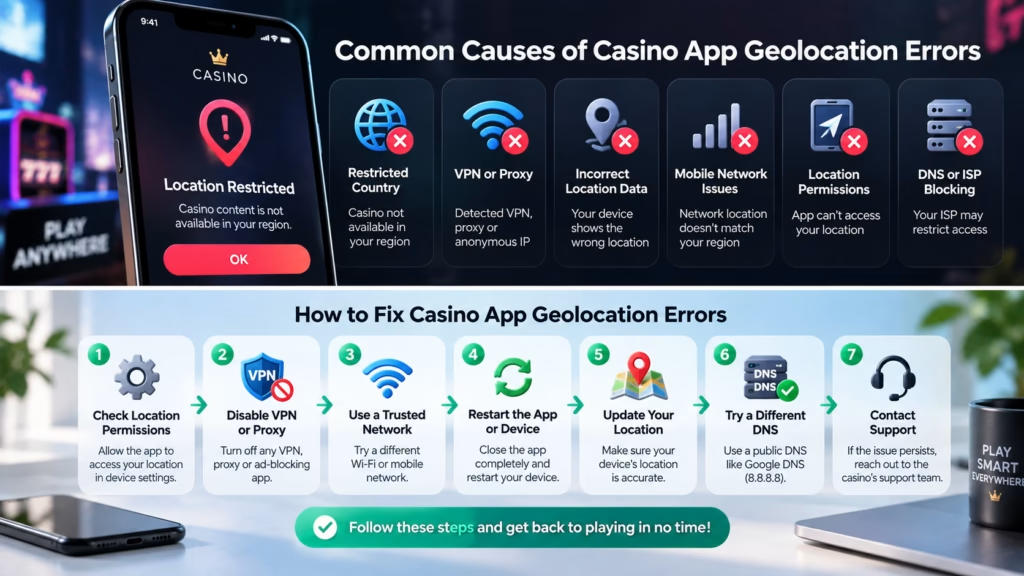
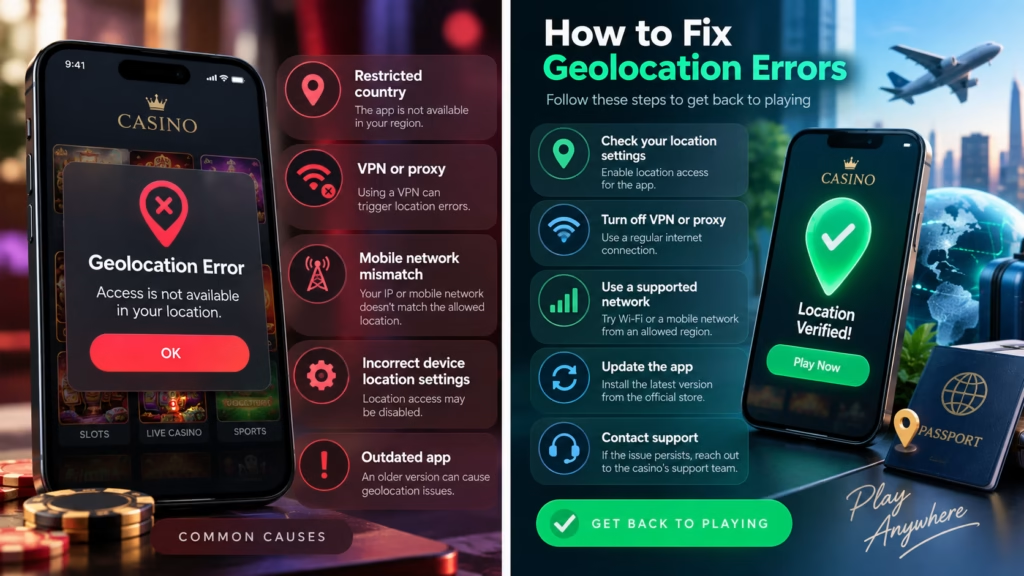
- Turn on Location Services and allow the casino app to access your precise location.
- Enable Wi-Fi, even if you are using mobile data.
- Disable VPNs, proxies, location spoofing tools, and similar services.
- Close and reopen the casino app after changing location settings.
- Move away from a jurisdictional border or an area with poor GPS reception.
If casino location verification is not working after these steps, the problem may be connected to network configuration, device security settings, the casino’s geolocation provider, or your actual physical location.
Why Casino Apps Verify Your Location
Casino geolocation is different from simply checking your IP address. Regulated gambling operators may need to verify that a player is physically located inside an area where the operator is permitted to offer wagering.
Compliance-grade geolocation systems can combine several signals, including GPS, Wi-Fi networks, cellular information, IP data, and device information. Some systems also analyze whether location information appears to have been altered or masked.
This explains why changing networks or obtaining an IP address associated with an eligible location does not necessarily solve a casino geolocation error. The casino may require several location signals to agree before allowing real-money gambling.
A geolocation failure also does not automatically mean your account has a problem. A legitimate player physically located in an allowed jurisdiction can still fail verification because the phone is supplying incomplete, inaccurate, or conflicting location information.
1. Check Whether Location Services Are Enabled
The first step is to make sure location services are enabled at the device level.
A casino app cannot confirm your physical location if the operating system prevents the app from receiving location information.
Before troubleshooting the casino itself, open a mapping application and check where your phone places you. If the map cannot determine your position accurately, the problem is probably with the device or its location environment rather than the casino app.
If the map shows your correct position but the casino still fails verification, continue with the app-specific permissions below.
2. Enable Precise Location for the Casino App
On iPhone
Go to:
Settings > Privacy & Security > Location Services
Confirm that Location Services is enabled, then select the casino app and review its permission.
Where available, allow location access while using the app and enable Precise Location.
iPhone location services can use GPS, Bluetooth, Wi-Fi networks, and cellular networks to determine device location. Individual apps may receive either approximate or precise location information depending on your settings.
If Precise Location was previously disabled, turn it on, completely close the casino app, and open the app again before retrying verification.
On Android
Open the casino application’s permissions and make sure location access is allowed.
Depending on your Android version and device manufacturer, you can usually find this under:
Settings > Location > App location permissions
or:
App Info > Permissions > Location
If your phone offers the option, enable Use precise location.
Android allows apps to receive approximate or precise location depending on the permission selected by the user.
After changing the setting, reopen the casino app and run the location check again.
3. Turn On Wi-Fi Even If You Use Mobile Data
Turning on Wi-Fi can improve geolocation even when you do not intend to connect through Wi-Fi.
Modern phones can use nearby Wi-Fi access points as additional signals for estimating physical location. Android devices may combine GPS, Wi-Fi access points, cellular towers, and device sensors to improve location estimates, especially indoors or around buildings where GPS reception is weaker.
For casino geolocation, having more legitimate location signals available can make verification more reliable.
Try this:
1. Turn Wi-Fi on.
2. Leave GPS or Location Services enabled.
3. Wait briefly for the phone to establish an accurate position.
4. Check your position in a mapping app.
5. Reopen the casino app.
You do not necessarily need to connect to an unknown public Wi-Fi network. Simply enabling Wi-Fi scanning may help the device obtain additional location information.
4. Check Android Location Accuracy
Android users should also check whether Location Accuracy is enabled.
On many current Android devices, this can be found under:
Settings > Location > Location Services > Location Accuracy
Turn on Improve Location Accuracy if the casino app is having trouble establishing your position.
When Location Accuracy is enabled, compatible Android devices can combine GPS with Wi-Fi, cellular networks, and sensor data instead of relying primarily on GPS and onboard sensors.
This setting can be particularly useful if you are indoors, in a dense urban area, or somewhere with an obstructed view of the sky.
5. Disable VPN and Proxy Connections
A VPN or proxy can create conflicting location signals.
For example, your phone’s GPS may indicate one city while your internet connection appears to originate from another region or country. Compliance systems can treat this mismatch as suspicious rather than simply trusting one of the two signals.
Geolocation systems used in regulated gaming can also look for IP masking technologies such as VPNs, proxies, Tor nodes, Smart DNS services, and other anonymization methods.
If you are legitimately located in an allowed jurisdiction but location verification fails, temporarily disconnect any VPN or proxy and retry using your normal connection.
The goal is not to bypass geographic restrictions. It is to allow the casino to verify your real physical location consistently.
6. Do Not Use GPS Spoofing or Mock Location Apps
Trying to fake your location can make a casino geolocation problem significantly worse.
Avoid:
- fake GPS applications;
- Android mock-location tools;
- GPS spoofing software;
- device emulators;
- remote desktop setups intended to disguise physical location;
- modified location data;
- VPN configurations designed to bypass gambling restrictions.
Compliance-grade geolocation systems are specifically designed to evaluate whether device location information appears genuine. They may check for location masking, device manipulation, and inconsistent signals.
If gambling is unavailable where you are physically located, troubleshooting should not be used to circumvent that restriction. Availability and legal requirements depend on the operator and jurisdiction.
7. Switch Between Wi-Fi and Mobile Data
Network problems can sometimes cause verification failures even when GPS is functioning correctly.
Try both configurations:
Option A: Wi-Fi enabled and connected, mobile data available.
Option B: Wi-Fi enabled for location scanning but internet traffic using your normal cellular connection.
A corporate, hotel, university, shared, or public network may route internet traffic through infrastructure located far from your physical position. That does not necessarily mean the network is unsafe, but it can create inconsistent location signals.
If verification works on cellular data but repeatedly fails on a particular Wi-Fi network, the network configuration may be contributing to the problem.
8. Move to an Area With Better Location Reception
Indoor environments can reduce location accuracy.
Underground parking areas, basements, elevators, large concrete buildings, and dense clusters of tall buildings can interfere with GPS reception. Additional wireless signals become more important when GPS is unavailable or obstructed.
If the casino app keeps showing a geolocation error:
- move closer to a window;
- go outside if practical;
- keep Wi-Fi enabled;
- wait until a mapping app shows a stable position;
- retry verification.
This can be more effective than repeatedly tapping the casino location button while the phone still has an uncertain location.
9. Be Careful Near State or National Borders
Casino geolocation errors are more likely to matter near jurisdictional boundaries because the operator may need to establish that the device is actually inside its permitted territory.
Being physically close to a border can therefore create a different situation from being well inside the jurisdiction.
Do not attempt to solve this by manipulating your location. Move farther inside the permitted area and retry once the phone has established a stable position.
A casino may deliberately reject a location check when the available data is not accurate enough to determine which side of a regulatory boundary the device is on.
10. Restart the App and Device
Location services occasionally become stuck or fail to refresh correctly.
A useful sequence is:
1. Close the casino app completely.
2. Confirm Location Services and precise location are enabled.
3. Disable any VPN or proxy.
4. Turn Wi-Fi on.
5. Confirm your position using a mapping application.
6. Reopen the casino app.
7. Retry location verification.
If that fails, restart the phone and repeat the process.
Restarting is particularly useful after changing several permissions because it gives the operating system and casino application a clean session with the new settings.
11. Update the Casino App and Operating System
An outdated casino app can have compatibility problems with newer versions of iOS or Android.
Check the official app store for an update. You should also check whether an operating-system update is available for your phone.
Updates can change permission handling, location APIs, security requirements, and compatibility between the casino application and third-party geolocation services.
Use the operator’s official app rather than downloading installation files from unknown websites. This reduces both security risks and the chance of installing an outdated or modified version.
12. Clear Cache or Reinstall the Casino App
Corrupted local application data can occasionally prevent location verification from completing properly.
On Android, clearing the casino app’s cache may help. The exact path varies by manufacturer, but it is commonly available through:
Settings > Apps > Casino App > Storage
Start by clearing the cache rather than deleting all application data.
On iPhone, there is no universal per-app cache-clearing control equivalent to Android. If restarting and updating do not work, reinstalling the casino app may be appropriate.
Make sure you know your login credentials and have access to any required two-factor authentication method before deleting an app.
How to Identify the Source of a Geolocation Error
A simple diagnostic sequence can save time.
| Test | What the result may indicate |
| Maps cannot locate you correctly | Device location or signal problem |
| Maps works but casino app does not | App permission or casino verification issue |
| Casino works on mobile data but not Wi-Fi | Network configuration may be involved |
| Casino fails only with VPN enabled | VPN or IP masking conflict |
| Error appears near a jurisdiction border | Location confidence may be insufficient |
| Multiple casino apps cannot verify location | Device, network, or system-level issue |
| Only one casino app fails | Operator-specific app or geolocation issue |
These tests do not prove the exact technical cause, but they help determine where troubleshooting should focus.
When to Contact Casino Support
Contact the casino’s official support team when your physical location is eligible, your phone can determine its position correctly, and normal troubleshooting does not solve the error.
Provide useful diagnostic information such as:
- phone model;
- iOS or Android version;
- casino app version;
- exact error message;
- whether precise location is enabled;
- whether the problem occurs on Wi-Fi, cellular data, or both;
- whether other location-based apps work correctly;
- approximate time the error occurred.
Do not send passwords, authentication codes, or unnecessary sensitive information.
Casino support may be able to determine whether the failed check came from the casino app, the operator’s geolocation provider, a jurisdictional restriction, or a device integrity issue.
Choosing a Casino App With Reliable Location Verification
Location technology should be part of the practical evaluation of a real-money casino app.
A usable casino app should provide clear permission instructions, understandable error messages, current mobile software, accessible support, transparent jurisdiction restrictions, and a straightforward process for resolving legitimate location failures.
Before depositing money, also check whether the operator is permitted to serve players in your location, what withdrawal and identity-verification requirements apply, and whether the application’s payment and responsible gambling controls meet your needs.
A functioning geolocation check does not make gambling profitable or reduce the randomness of casino games. Casino gambling should be treated as paid entertainment. Set spending and time limits before playing and stop if gambling stops being recreational.
How This Information Was Reviewed
The troubleshooting recommendations in this guide are based on how current iOS and Android location permissions operate and on the general principles used by compliance-grade gaming geolocation systems.
The most important distinction is between fixing legitimate location detection and trying to bypass geographic restrictions. Location permissions, precise-location settings, network conditions, Wi-Fi signals, GPS reception, IP information, and device integrity can all affect verification.
Exact requirements vary between casino operators, geolocation providers, countries, states, provinces, and device versions. If normal troubleshooting does not work, the casino’s official support team is the appropriate source for an operator-specific diagnosis.
FAQ
Why does my casino app say it cannot verify my location?
A casino app usually cannot verify your location because it is receiving insufficient or conflicting location information. Common causes include disabled permissions, approximate location, weak GPS reception, VPN usage, unusual network routing, or a temporary geolocation service problem.
How do I fix a casino location verification not working error?
Start by enabling Location Services, granting the casino precise location access, turning on Wi-Fi, disabling VPN or proxy connections, checking your position in a mapping app, and restarting the casino application. If verification still fails, test another network and contact the casino’s support team.
Why does the casino need Wi-Fi when I have GPS?
Wi-Fi can provide additional location information that helps a device establish its position. Modern Android devices, for example, may combine GPS, Wi-Fi access points, cellular networks, and sensor information to improve location accuracy.
Can a VPN cause a casino geolocation error?
Yes. A VPN can cause a location mismatch because the IP address may appear to originate somewhere different from the device’s physical GPS location. Gaming geolocation technologies may also detect VPNs and other IP-masking services directly.
Why does my casino app think I am in the wrong location?
Your casino app may receive inaccurate GPS information, an approximate location instead of a precise one, conflicting network data, or an IP address associated with another area. First check your position in a mapping application, then verify the casino’s precise-location permission.
Why does casino geolocation work on mobile data but not Wi-Fi?
A Wi-Fi network may route traffic differently from your cellular provider or provide location information that conflicts with other device signals. If the casino consistently works over cellular data but not a particular Wi-Fi network, the network is a reasonable place to investigate.
Can I use fake GPS to fix casino geolocation?
No. Fake GPS software is designed to alter the location reported by a device, while regulated gambling geolocation systems may specifically check for location manipulation. Use troubleshooting only to verify your genuine physical location rather than to circumvent geographic restrictions.
Why does casino geolocation fail near a state border?
Casino geolocation can fail near a state or jurisdictional border when the system cannot establish with enough confidence that the device is inside the permitted area. Moving farther inside the allowed jurisdiction and obtaining a stable GPS position may resolve a legitimate border-related problem.
Should I reinstall the casino app if location verification fails?
Reinstalling may help if the application has corrupted local data or a software problem, but it should normally come after checking permissions, precise location, Wi-Fi, VPN settings, updates, and GPS accuracy. Make sure you can access your account and authentication method before deleting the app.
What should I do if nothing fixes the casino geolocation error?
Contact the casino’s official support team if your device shows the correct location and you are physically inside an eligible jurisdiction. Provide the exact error message, device model, operating-system version, app version, and information about the networks you tested so support can investigate the failed verification.
Brief Conclusion
A casino app geolocation error is usually solved by correcting location permissions, enabling precise location and Wi-Fi, removing VPN or proxy conflicts, improving GPS reception, and restarting or updating the app. If your phone can identify your location correctly but the casino still cannot verify it, the problem may require assistance from the operator or its geolocation provider.
Geolocation troubleshooting should only be used to verify your real physical position. It should not be used to bypass regional gambling restrictions. Before playing, confirm that real-money gambling is available to you, check the operator’s terms, set limits, and treat casino games as entertainment rather than a source of income.